
MIB Health Insurance App1.4 - Google Play
You'll be able to see results in few seconds.
Publisher Description
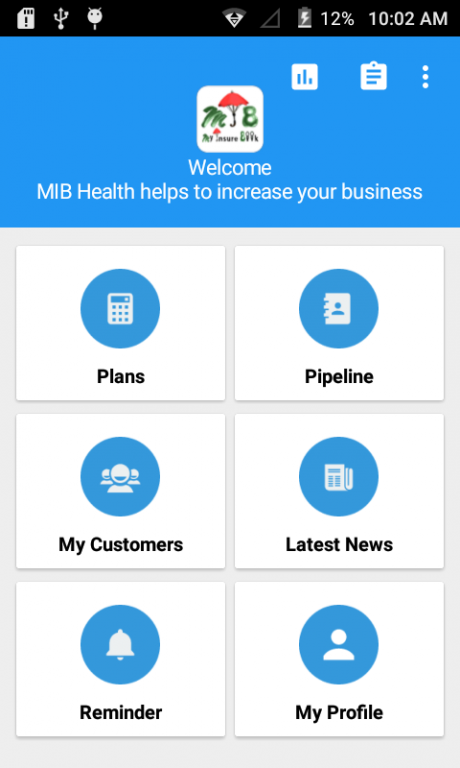
My Insure Book - Health Insurance Premium Calculator is an extremely useful tool for Health Insurance Agents
- Are you an Health Insurance Agent?
- Finding difficulty in calculating Premium values for different health plans of different major companies?
- Are you still using Calculator and Excel to calculate Premiums?
If your answer for above is Yes, MIB-Health Insurance is the right solution to ease your life and increase your business.
Presently MIB-Health Insurance App is configured with two major companies that are Bajaj Allianz Insurance company and United India Insurance company, and we are committed to provide all other Health Insurance companies in near future. This App is built with our extensive Insurance expertise and we are dedicated to contribute our knowledge to Insurance Industry through latest technologies.
KEY FEATURES of MIB-Health Insurance :
- MIB-Health Insurance works in Offline mode. Download the App and use anywhere and any time all the features.
- Health Insurance premium values can be calculated any time. No Printed books, calculator and Mobile Data needed.
- Premium Quotation can be sent through SMS, WhatsApp etc
About MIB Health Insurance App
The company that develops MIB Health Insurance App is Dream Tekis Software Pvt. Ltd.. The latest version released by its developer is 1.4.
To install MIB Health Insurance App on your Android device, just click the green Continue To App button above to start the installation process. The app is listed on our website since 2016-08-22 and was downloaded 0 times. We have already checked if the download link is safe, however for your own protection we recommend that you scan the downloaded app with your antivirus. Your antivirus may detect the MIB Health Insurance App as malware if the download link to com.tekis.health is broken.
How to install MIB Health Insurance App on your Android device:
- Click on the Continue To App button on our website. This will redirect you to Google Play.
- Once the MIB Health Insurance App is shown in the Google Play listing of your Android device, you can start its download and installation. Tap on the Install button located below the search bar and to the right of the app icon.
- A pop-up window with the permissions required by MIB Health Insurance App will be shown. Click on Accept to continue the process.
- MIB Health Insurance App will be downloaded onto your device, displaying a progress. Once the download completes, the installation will start and you'll get a notification after the installation is finished.
Program Details
System requirements
Download information
Pricing
Version History
version 1.4
posted on 2016-08-22
1. Updated to latest Android version.,2. UI/UX updated with material design.,3. Integrated with new company and plans.,4. Business statistics in dashboard.,5. Added automated policy renewal reminder.,6. Provided option to Move App to SD card.,7. Share premium using Whatsapp, SMS and others.
Disclaimer
Official Google Play Link
We do not host MIB Health Insurance App on our servers. We did not scan it for viruses, adware, spyware or other type of malware. This app is hosted by Google and passed their terms and conditions to be listed there. We recommend caution when installing it.
The Google Play link for MIB Health Insurance App is provided to you by apps112.com without any warranties, representations or guarantees of any kind, so access it at your own risk.
If you have questions regarding this particular app contact the publisher directly. For questions about the functionalities of apps112.com contact us.
